Semantic segmentation: label & train
Side-by-side labeling teaches the model with few samples
Segmentation · train & inferOpen Semantic Segmentation: original on the left, result on the right; pick defect type NG1 Short shot. Use polygon / brush tools to outline the short-shot area; filter Annotated / Unlabeled and Good / Defective on the right. Libraries can reach hundreds of images. After saving labels, run migrate / normal inference / accelerated inference / detect.
- Defect dictionary aligns with page params: short shot, leak, flash (add shrinkage on the line if needed);
- Few samples start training; for a new part number, add a few labels and fine-tune—no algorithm rewrite.
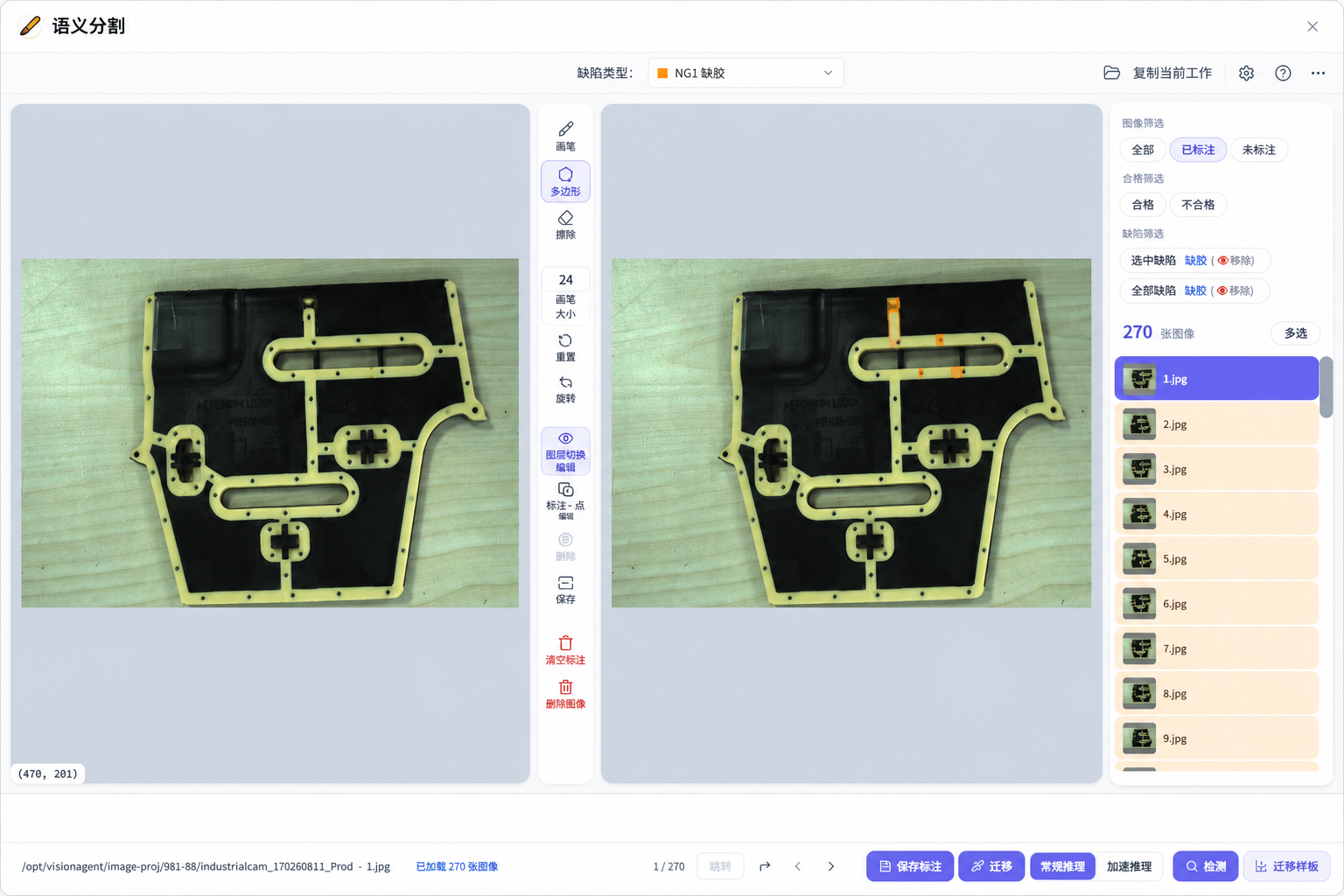
▲ Semantic segmentation: dual-pane labeling · NG1 short shot
Workflow: five-operator tensor flow
Drag-and-drop the inspection chain
Operator library · No-codeCreate project “0811-66”, then drag and connect from the left library:
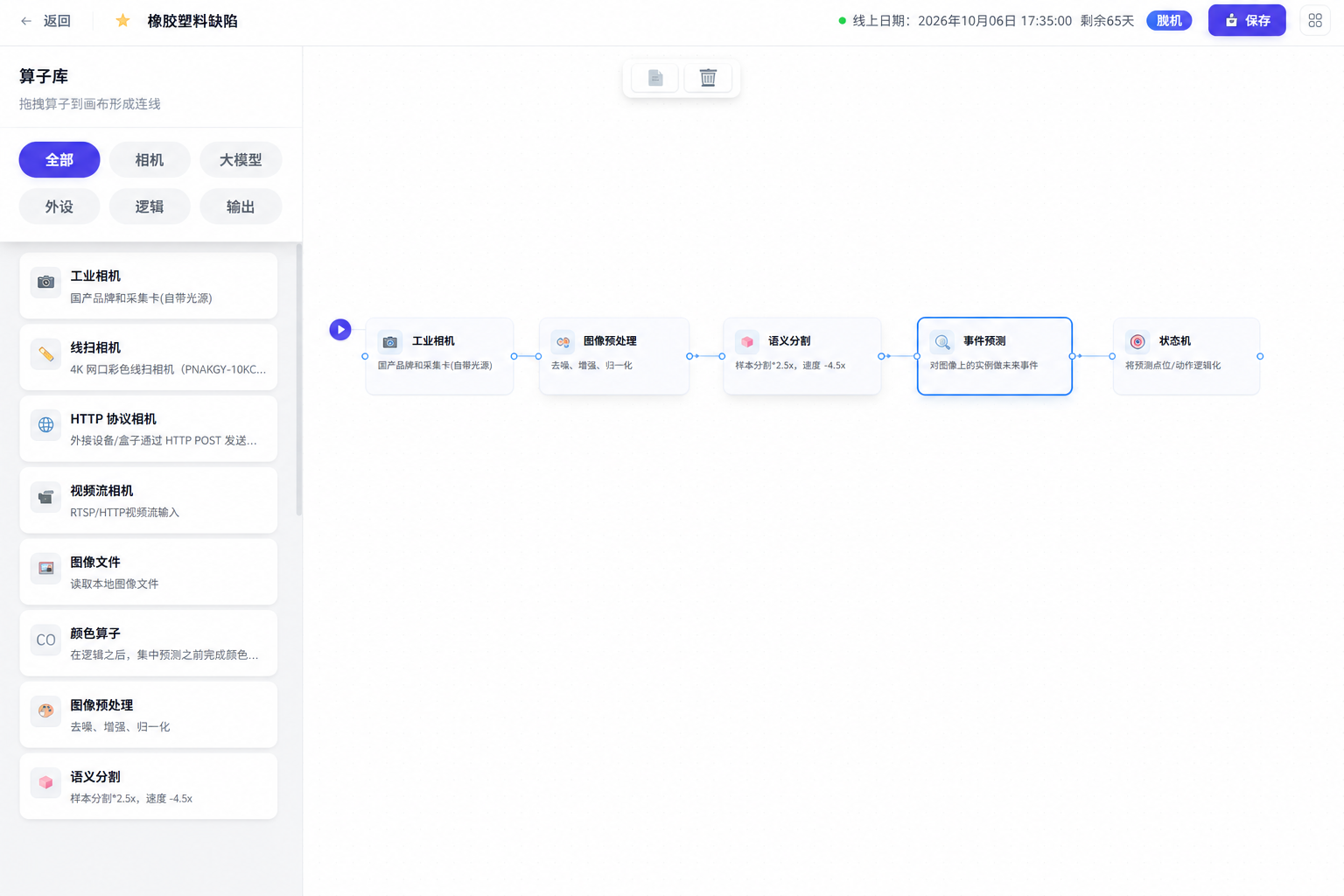
▲ Tensor flow: Industrial Camera → Preprocess → Segmentation → Event Prediction → State Machine
Event orchestration: GPU Event Orchestrator
Turn defects into subscribe-able signals
Primitives · FSM eventsOpen the GPU Event Orchestrator. The right-side state list shows three station events (same as the runtime board):
- E0 Shrinkage, E1 Short shot, E2 Flash—one primitive each;
- Drag Object Exists / Does Not Exist, count / width, etc. to build decision logic;
- Select an event on the right first, then configure detection on the canvas; save for the state machine to subscribe.
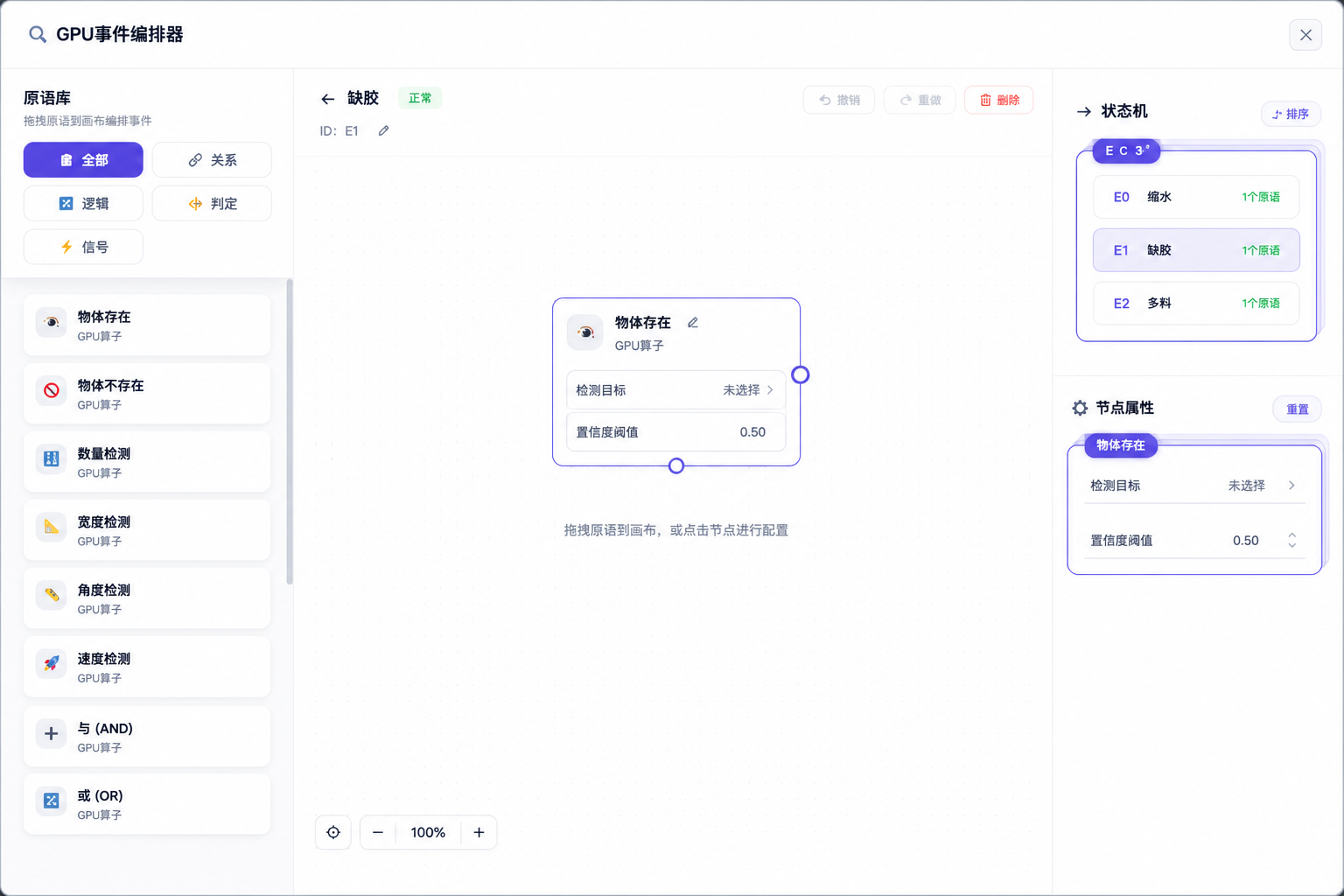
▲ GPU Event Orchestrator: E0 Shrinkage · E1 Short shot · E2 Flash
State machine: pending → good / NG
State chart locks release gates
Event tensor- Root S0 Pending; shrinkage / short shot / flash each enter their NG state;
- All related events pass → good release; any NG event takes the block branch;
- Same source as the runtime “status monitor” triple check—shrinkage and short shot may pass first while flash is still pending.
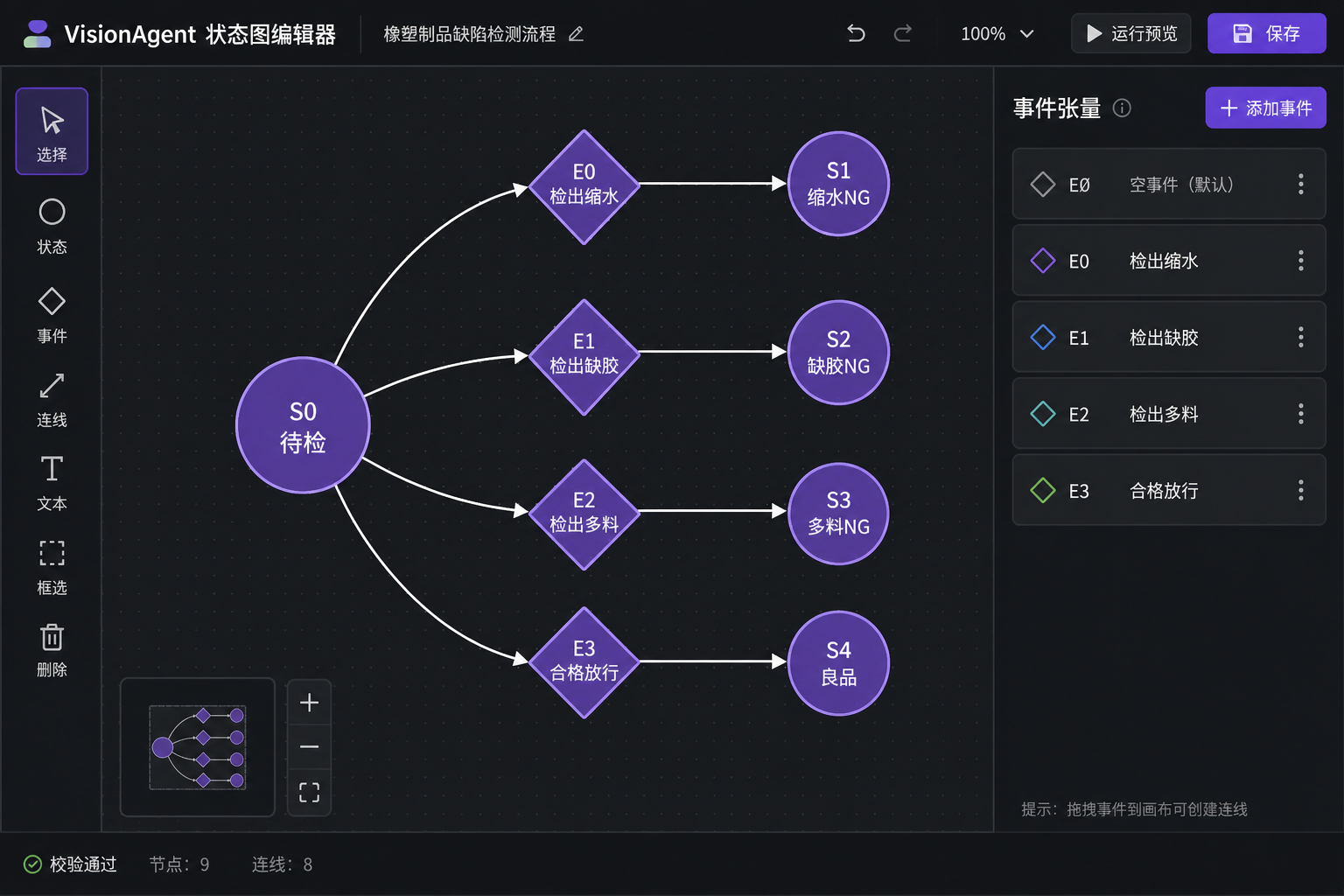
▲ State chart: pending splits to shrinkage / short shot / flash NG or good
Camera & parameter setup
Page params · defect dictionary & display
Parameter ConfigOpen Parameter Configuration → Page Parameters. Left-side defect stats align with label classes:
- Example rows: NG1 Short shot, NG2 Leak, NG3 Flash with counts; add / delete defect types;
- Result display: show mask on, show defect name on, font 40, line width 2—matching the live overlay;
- Model params page sets crop, epochs, confidence and area thresholds (e.g. short-shot confidence 0.65, area 500);
- On the Industrial Camera node, set channel, exposure, and ROI so the full molding is framed.
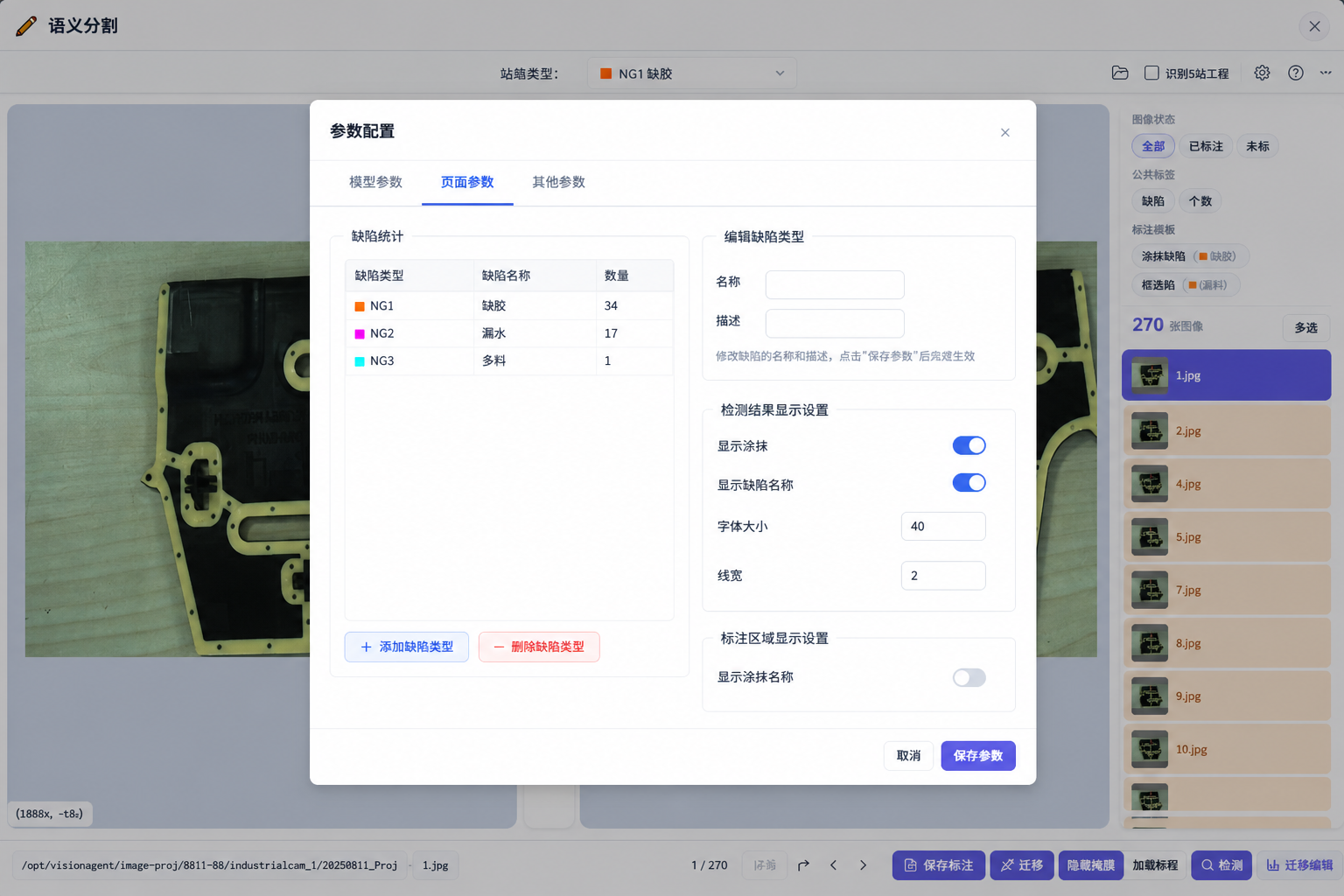
▲ Parameter Config · Page params: defect types and display settings
Live demo: how to read the result
Image, events, and verdict on one screen
Edge runtime · result viewAfter the chain is configured, go live and watch the result. On the left is the industrial-camera feed: a black shaped molding on a light table, beige trim and holes clear, pink and orange patches marking what the system is watching. On the right, check shrinkage, short shot, and flash one by one—a green check means that item passed; the header shows running, and below is the Detection status.
- Left: live scene and defect paint—does it match the part?
- Right: three events check off in order—progress at a glance;
- Verdict: all pass → release; any fail → NG and log the matching code.
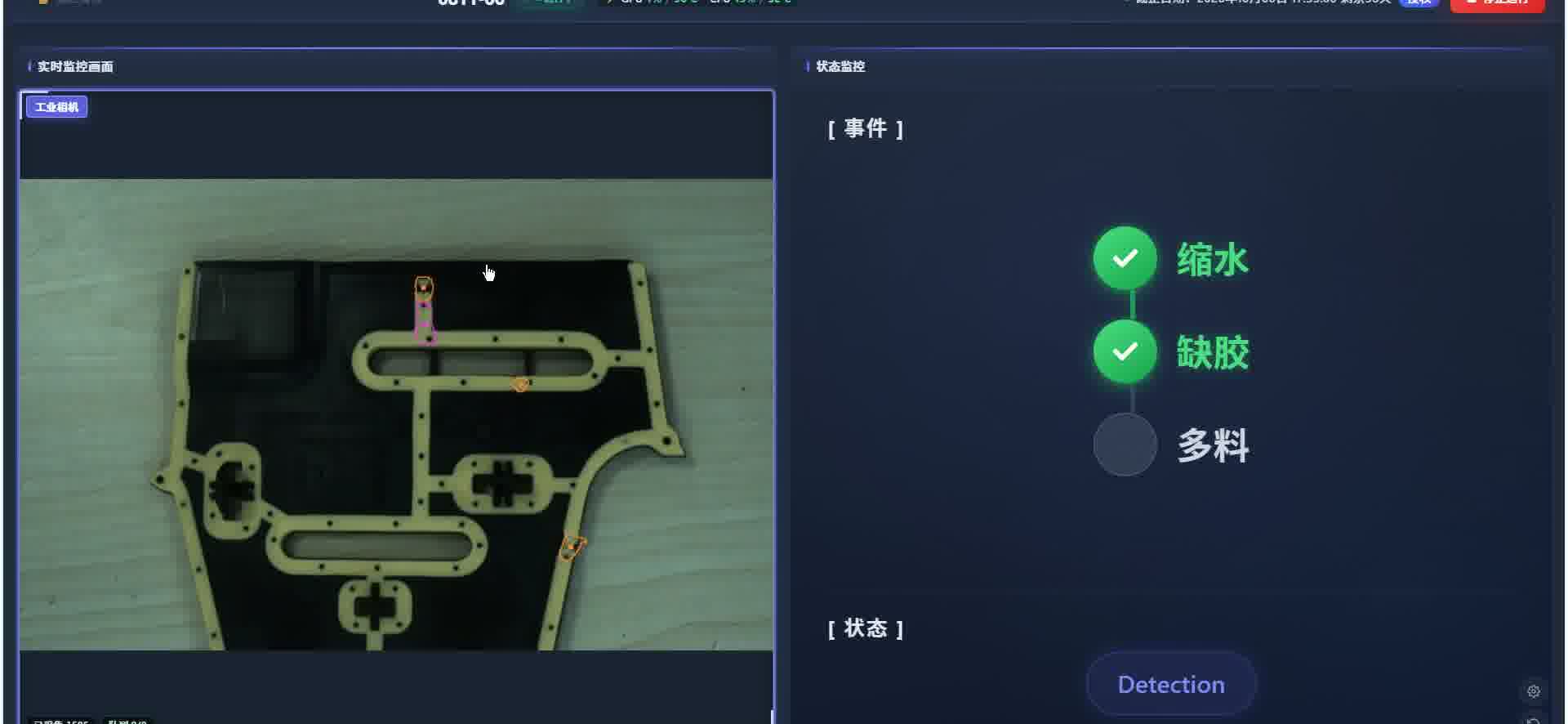
▲ Live view on the left, event checks on the right
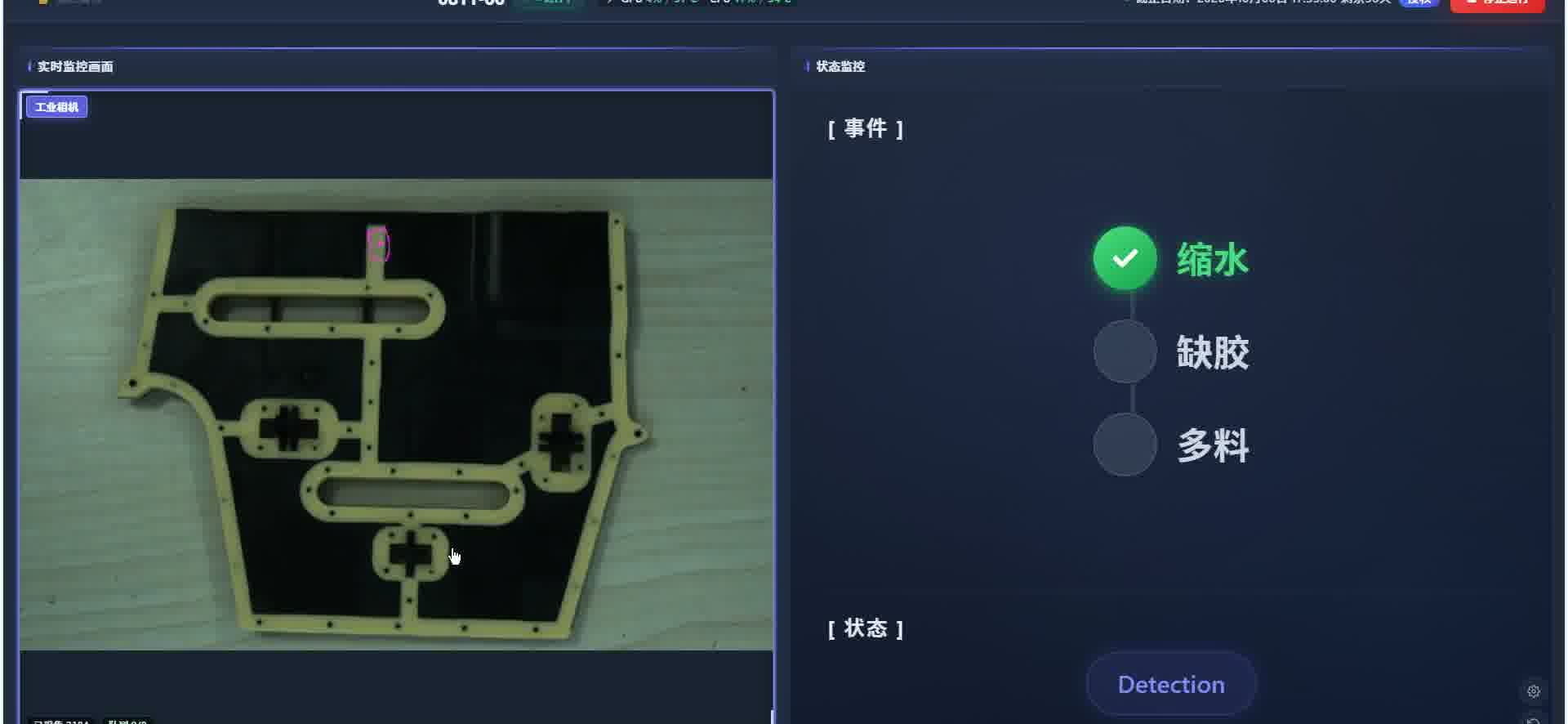
▲ Running: masks mark regions of interest
▲ Field video: rubber & plastic defect inspection result clip
Comparison & takeaways
| Area | Traditional | VisionAgent rubber/plastic |
|---|---|---|
| See defects | Human spot checks | Semantic seg marks short shot / shrinkage / flash live |
| Set standard | Verbal rules, paper samples | Page-param NG dictionary + confidence / area thresholds |
| Release | Operator habit | Event orchestration + state-machine gates |
| New part # | Wait for algorithm retrain | Few-shot label / migrate |
| Records | Paper NG logs | Automatic defect counts and process trail |
- Business need: catch shrinkage, short shot, and flash on every molding; block NG on the spot;
- Decision rule: mask hit + pass thresholds → raise event → state machine verdict;
- Software setup: segmentation train + five-operator flow + GPU events + page / model params.
Four questions run through the project: What does the system look at, what counts as a defect, when to block, and how results enter stats.
Closing
Rubber/plastic inspection is not about spotting one short shot—it is chaining label & train → segment → raise event → state gate → NG stats into a flow the floor will use and quality can audit.