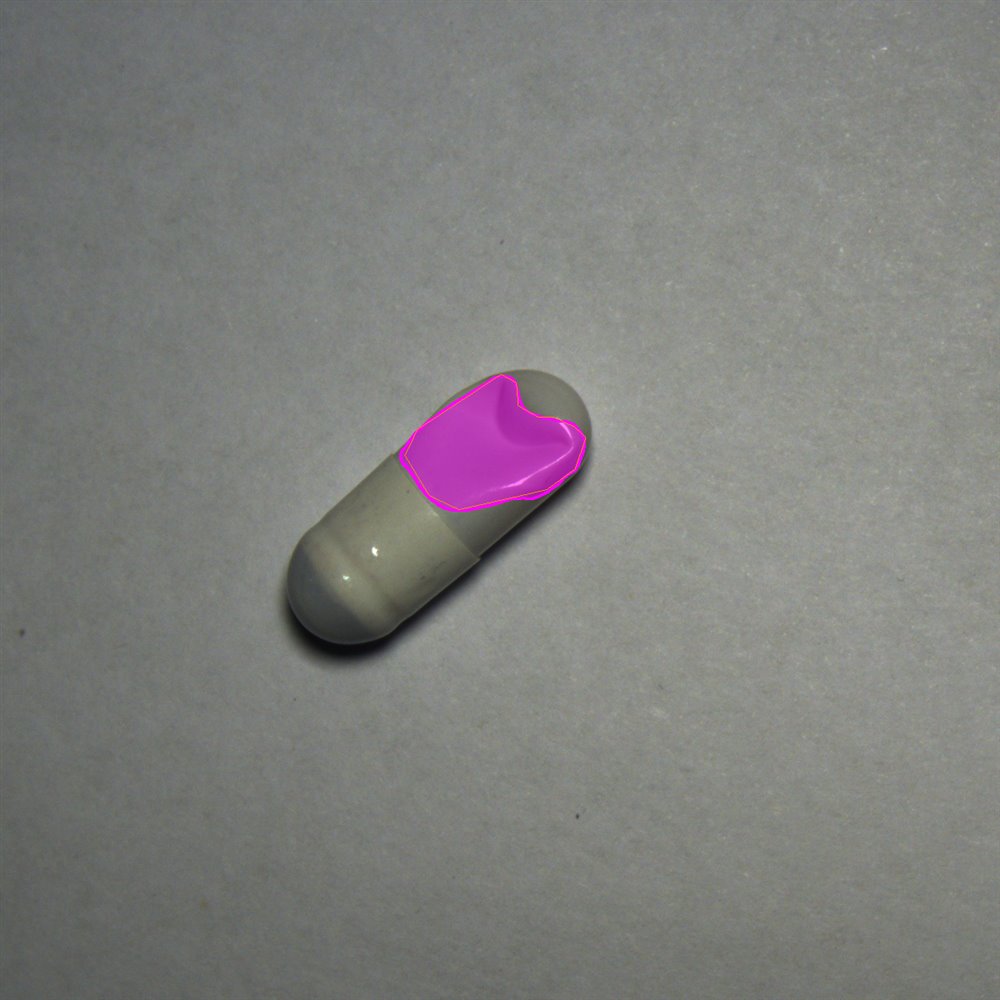
Capsule appearance inspection is hard not because photographing one capsule is hard, but because in a fast discharge stream every dent, depression, scratch, pit and — under backlight — every under-fill has to be caught reliably: good ones not over-rejected, NG ones not let through.
This article is based on the real segmentation renders from the Renhe Pharmaceutical capsule inspection, laid out as target → defect families → imaging & lighting → operator chain / judgment / parameter dictionary → live dashboard. The mask colours match the field: magenta marks dents / depressions, orange marks scratches / dark streaks, and cyan marks the light-transmitting fill band under backlight. UI screenshots are drawn to the product's real controls and wording.
The target: which faces of a capsule matter
The target is a grey, semi-translucent hard capsule with a cap and a body telescoped together. The difficulty: a capsule is a curved, semi-translucent, easily rolling small part; its defects are small and low-contrast, and even good capsules carry natural texture and specular variation. The system uses semantic segmentation masks to carve the defect region out of the shell — not just draw a box — so a dent's boundary and an under-fill's shape become measurable.
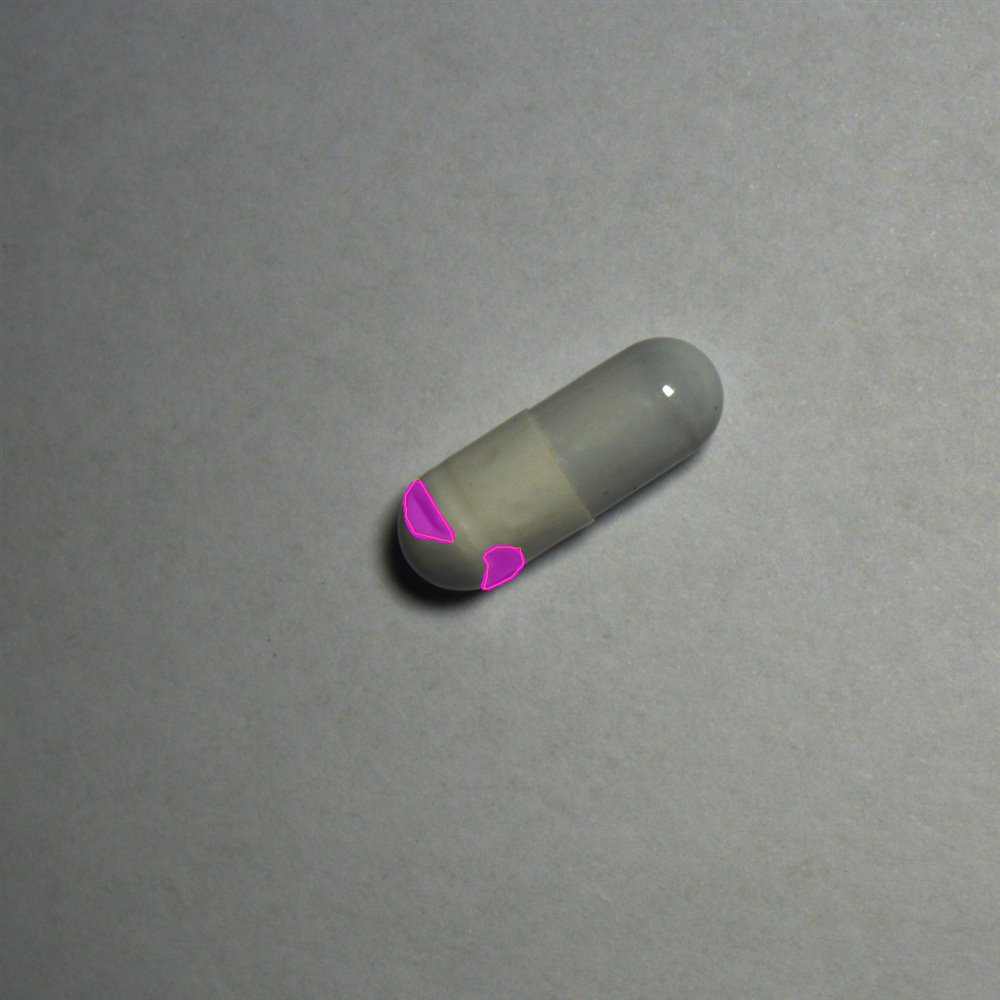
▲ Defect: two depressions at the cap end, dents outlined by the magenta mask
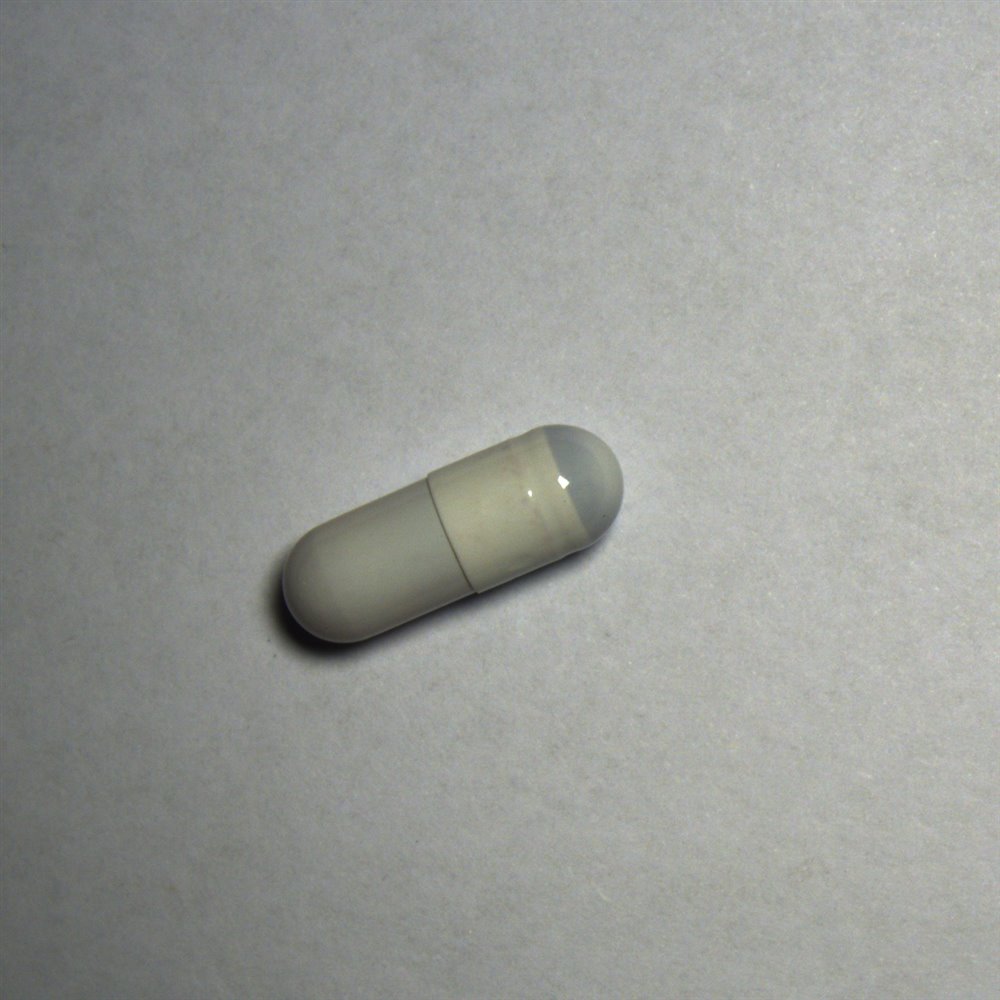
▲ Good: cap and body fully telescoped, surface clean, no mask
Defect families: five NG classes to pull out
From field samples and segmentation results, capsule appearance NGs fall into five families, each mapping one-to-one to the defect dictionary later:
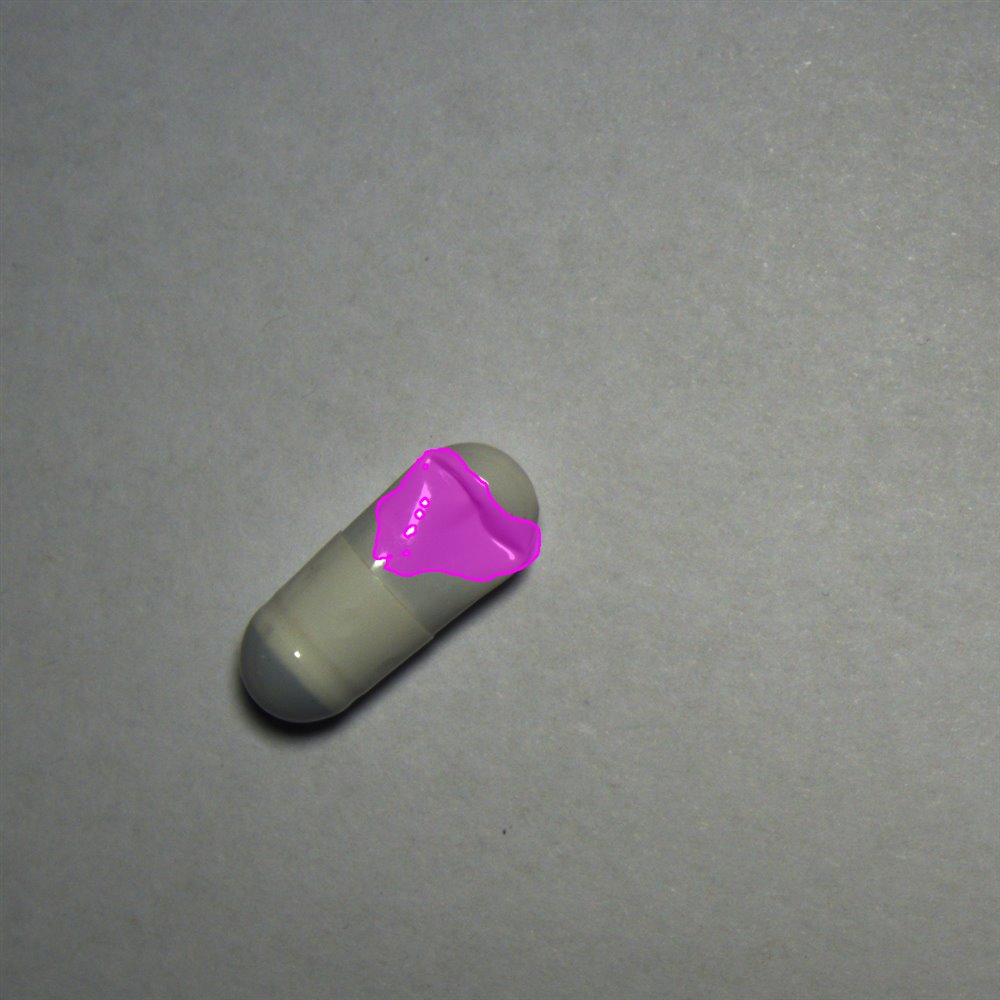
▲ D1 dent + D3 bubble: magenta on the cap depression, a bright bubble inside
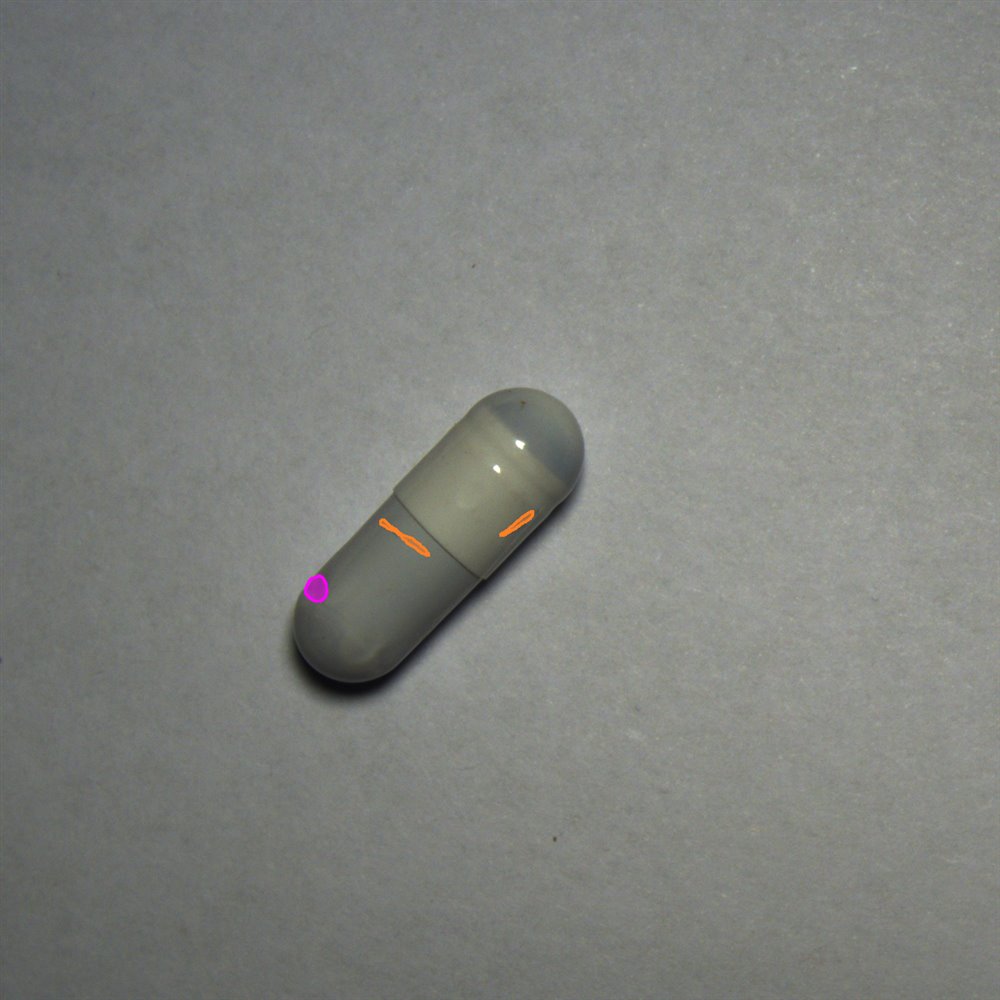
▲ D2 scratch / streak: orange outlines the thin dark streaks on the body
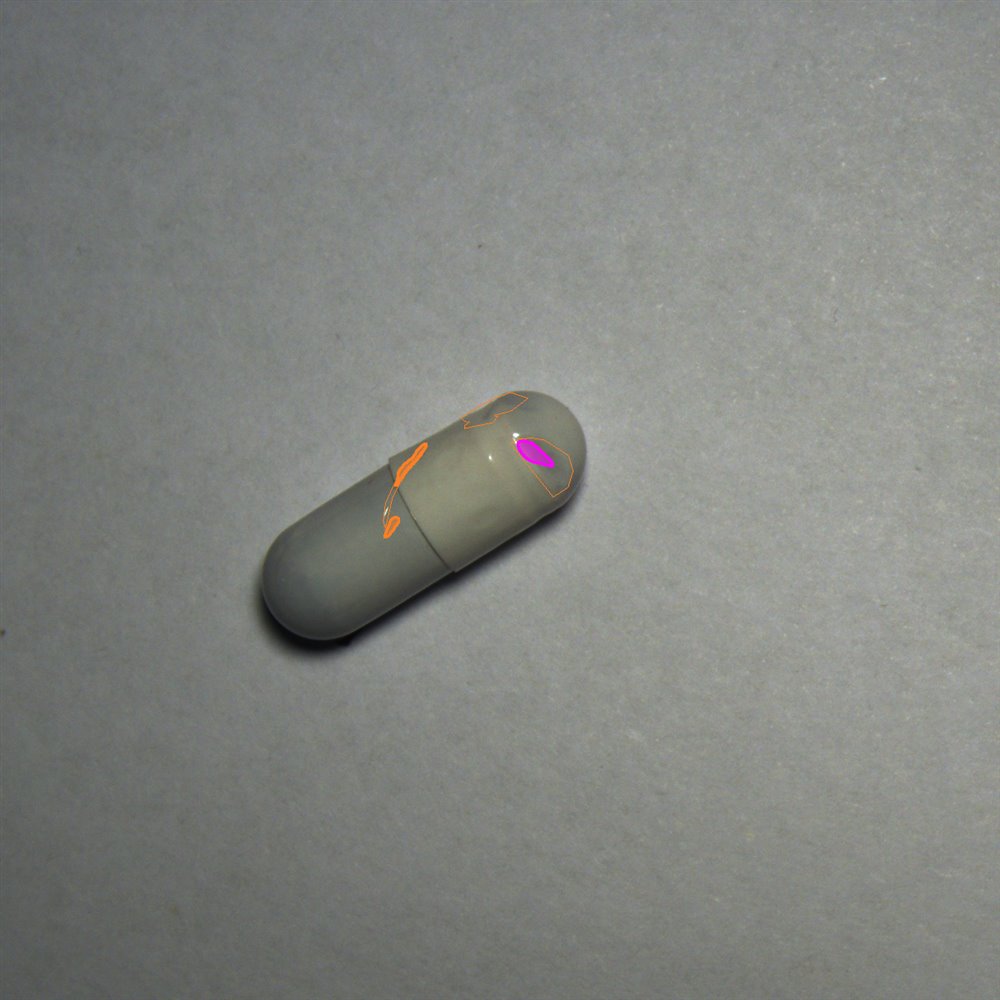
▲ D2 + D1 mixed: several scratches and depressions on one capsule
Under-fill is deadlier than a surface blemish
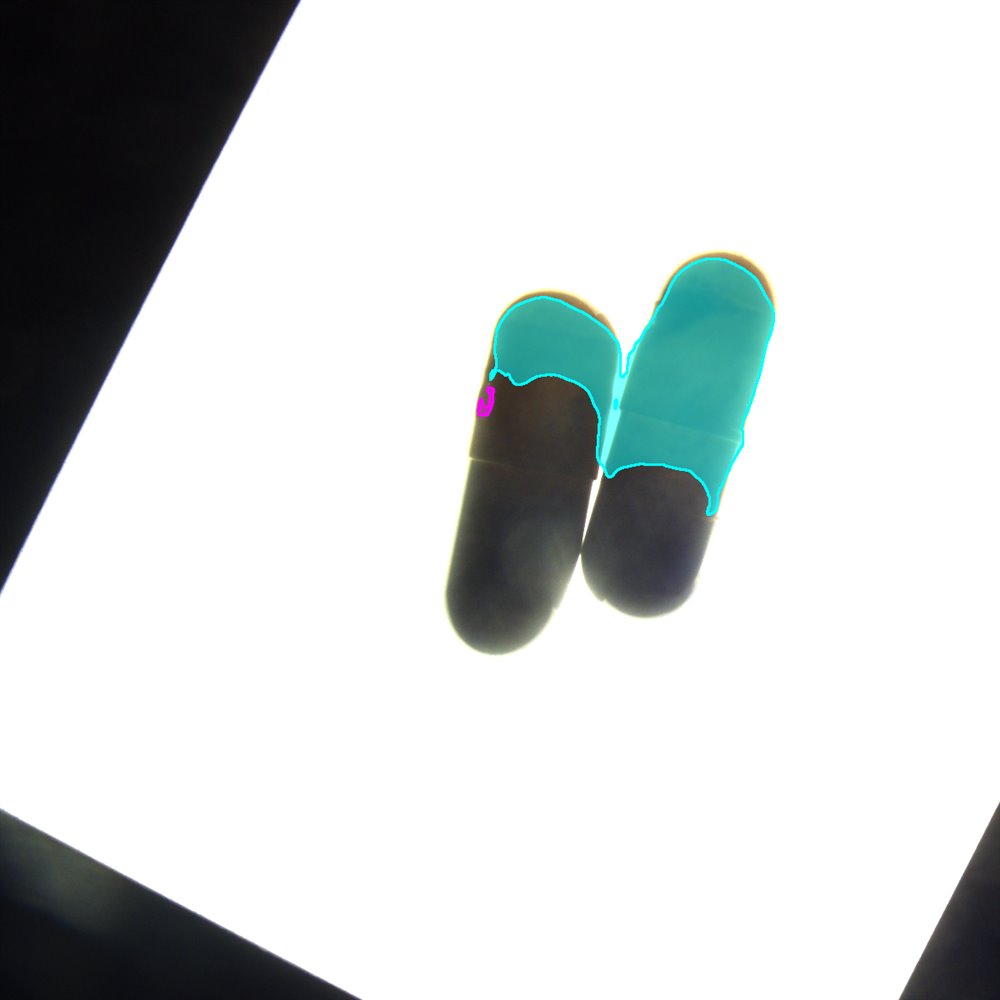
Dents and scratches affect appearance and sealing; but under-fill / hollow directly affects dosage and is nearly impossible to see through with front light. It must be revealed by backlight transmission before judging. The two defect types need two kinds of light.
Imaging & lighting: front diffuse + backlight, two stations
One kind of light cannot show every defect. The solution splits the work across two imaging stations:
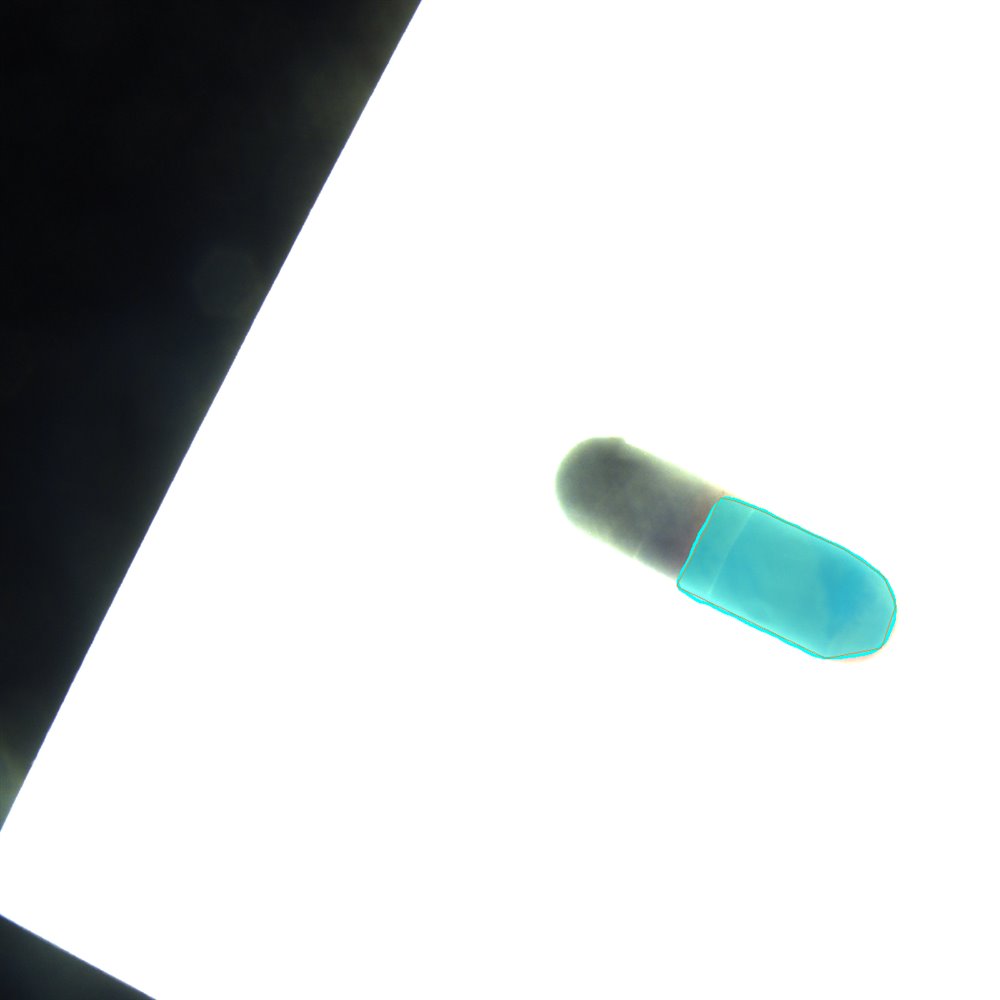
▲ Backlight station: cyan outlines the light-transmitting fill band
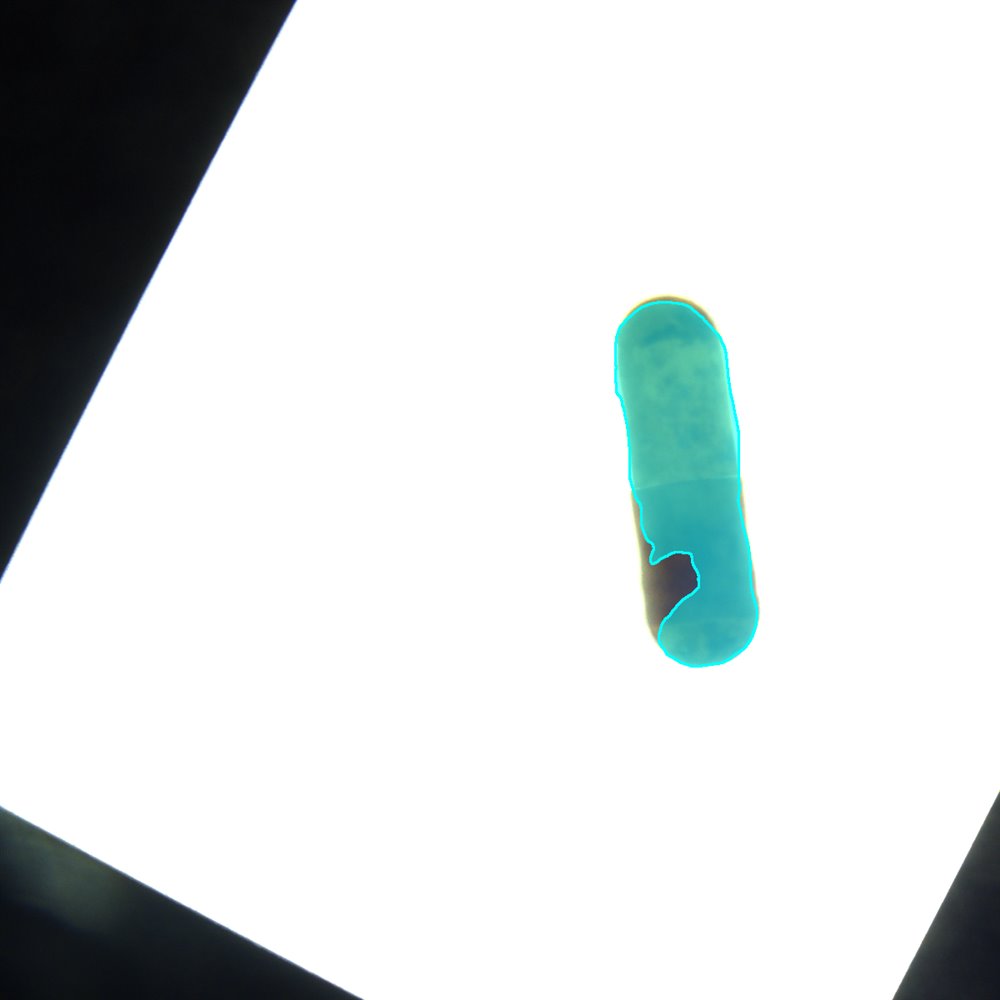
▲ Backlight station: a dark notch in the mask band = under-fill
Workflow: a few-shot segmentation operator chain
Create the project “Capsule appearance inspection”, drag operators from the left library and connect them (matching the real canvas):
▲ Tensor-flow canvas: camera → preprocess → few-shot segmentation → defect detection → grading (real UI style)
Judgment: turning masks into defect events
Open the “GPU event orchestrator”; the top reads “Configuring defect: dent / depression”. Drag in the primitive “region area > threshold”:
- The defect list on the right: D1 dent/depression, D2 scratch/streak, D3 pitting/bubble, D4 under-fill, D5 colour/soil… unconfigured ones read “pending”;
- Under-fill uses a “backlight mask notch ratio > threshold” primitive; scratches use an “elongated region length / aspect ratio” primitive;
- Each class binds an area / length / count threshold; crossing it fires the matching NG and drives the reject valve.
▲ GPU event orchestrator: configuring “dent / depression” = primitive “region area > threshold” (real UI style)
Camera & page parameters
Open “Parameters” and switch to the page parameters tab. The left “defect statistics” align with the defect families for per-batch NG reporting:
- Columns: defect type (NG0…NG4), defect name (dent/depression, scratch/streak, pitting/bubble, under-fill, colour/soil), count;
- “Add / remove defect type” is supported; edit name and threshold on the right, click “Save parameters” to apply;
- Result display: mask overlay on, defect name on, font size 40, line width 2 — matching the field mask look;
- On the camera side, the “Industrial camera” node configures front / backlight channels, exposure and ROI so a single capsule is fully framed.
| Type | Defect name | Count |
|---|---|---|
| NG0 | Dent / depression | 3 |
| NG1 | Scratch / streak | 2 |
| NG2 | Pitting / bubble | 1 |
| NG3 | Under-fill | 2 |
| NG4 | Colour / soiling | 0 |
▲ Parameters · page params: defect dictionary and display settings (real UI style)
Live run: a real-time grading dashboard
- Left: live view + segmentation mask, marking the current capsule's dent / scratch / fill band;
- Right: a five-class defect checklist — dent/depression, scratch/streak, pitting/bubble, under-fill, colour/soil; hits marked red;
- Verdict: any class over threshold → NG, counted by class and reject driven; only a full miss lets the capsule pass.
▲ Live monitor: live segmentation on the left, five-class verdict on the right
Comparison table & takeaways
| Aspect | Manual sorting / traditional AOI | VisionAgent capsule inspection |
|---|---|---|
| Surface | Visual check under lamp, fatigue & misses | Few-shot segmentation outlines dents / scratches / pits live |
| Fill | Front light can't see through; weighing spot-checks | Backlight mask notch ratio judged per capsule |
| Standard | By the master's experience, person to person | Area / length / notch-ratio thresholds grade uniformly |
| Changeover | Traditional AOI retunes per class | Just add a few samples; thresholds decouple from perception |
| Records | Paper spot-checks filled in later | Per-capsule result and defect type auto-logged into reports |
- Business need: pull out dents, scratches, pits and under-fill per capsule, without over-rejecting good ones;
- Decision rule: take the strictest across defects; any class over threshold is NG and counted;
- Software setup: five-operator tensor flow + GPU event orchestration (defect primitives) + page parameters (NG dictionary).
Four questions run throughout: what the system looks at, what counts as good, when to reject, and how results reach the report.
Closing note
Capsule appearance inspection is hard not because of photographing one capsule, but because of chaining capture → few-shot segmentation → defect metrics → grading & reject → batch logging into a link the floor is willing to use and quality can re-audit.