On a phone packaging line, the hard part isn't "getting a clear shot of one box" — it's making sure every box is packed in the same order: big lid, small lid, blue label, paper box, manual, adapter ring, phone case, then open the manual and open both lids for a recheck. A missed item, an out-of-order step or a missing label must be caught right there.
This article is based on a real screen recording of the CMC&PS AM STJ Industrial Visual Intelligence Platform and its UI, laid out as live view → step timeline → workflow / events / workflow panel / parameter page → runtime dashboard. The video is literally the software running the packaging monitor — the workflow ticks off step by step and the detection records log every box; the UI here is drawn to match its real controls.
The real packaging view in the software
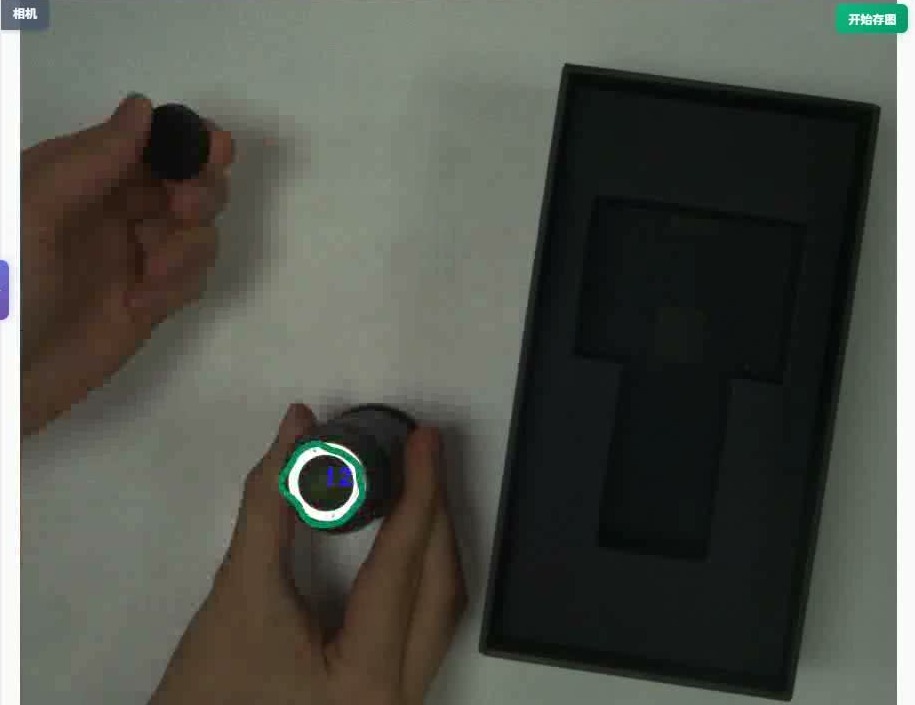
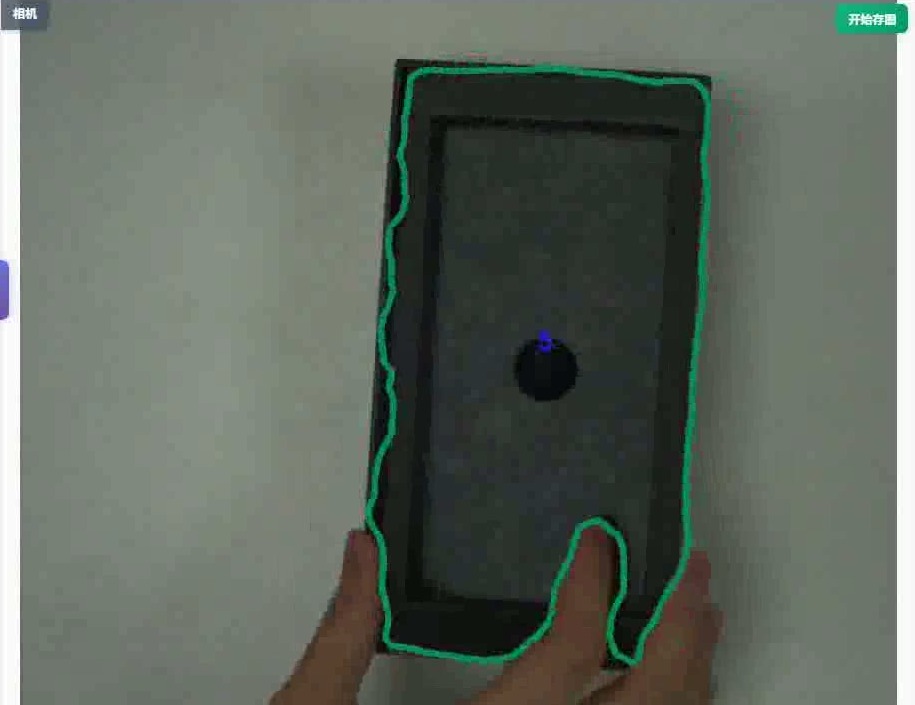
On the left, the "Live Monitor" camera looks down on the box: the AI outlines the tray and slots with a green segmentation mask, the operator places the big lid, adapter ring, phone case and other items into their slots one by one, and a green ring locates and counts the current item in real time. This is exactly the field that phone packaging process monitoring must handle.
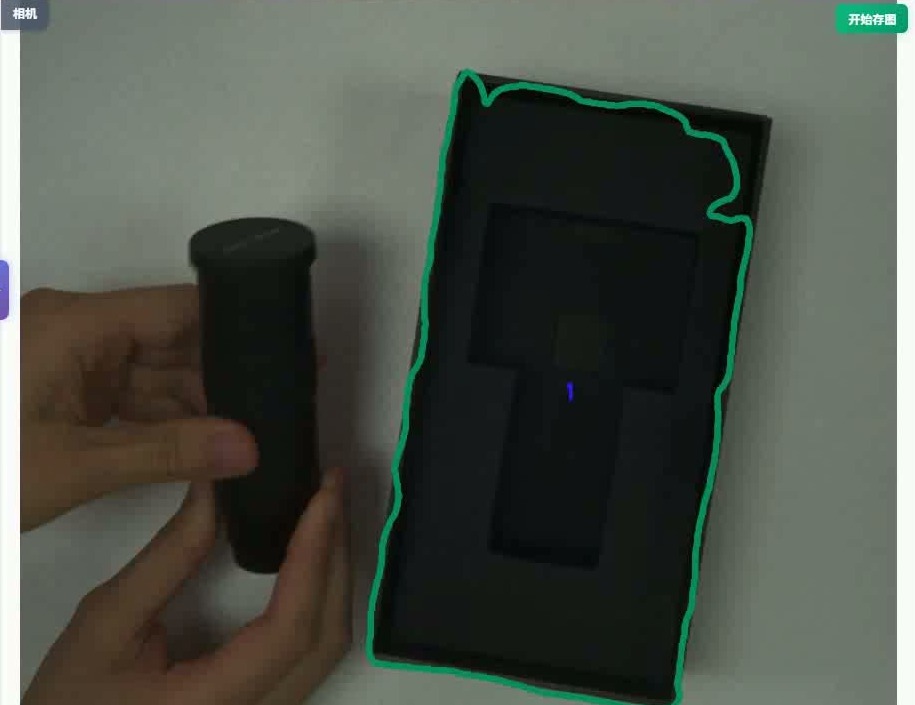
▲ Field: green mask outlines the box, an item ready to place
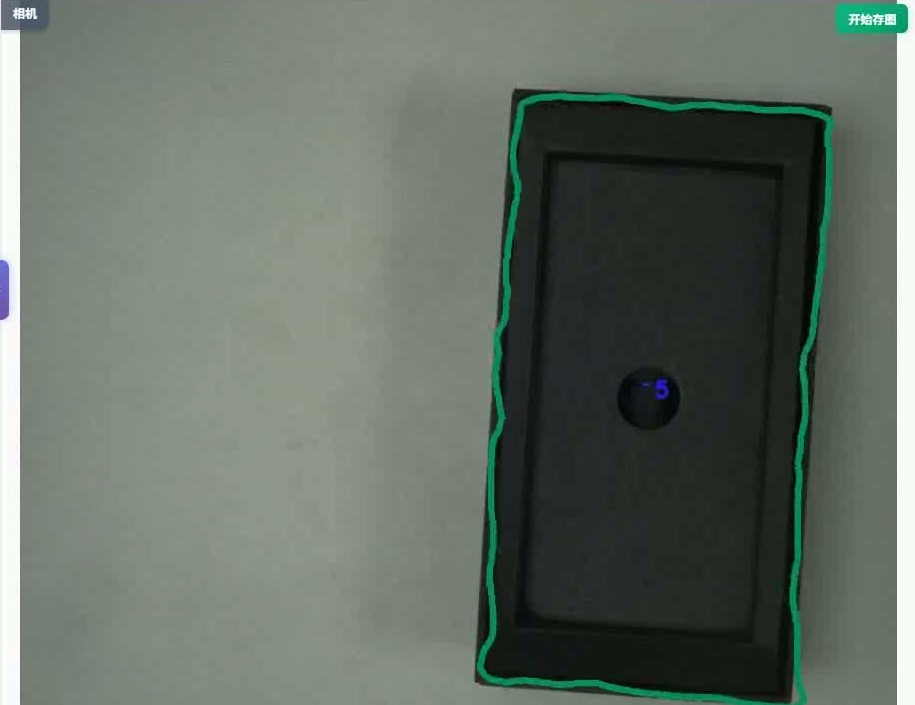
▲ Field: full-box mask + blue counting marker
Eleven steps: what each one checks
The runtime checklist matches the software's "Workflow" exactly — eleven ordered steps per the real recording:
A missed item or wrong order costs more than a surface flaw
A missed item, an out-of-order step or a missing label often only surfaces when the customer opens the box — hurting brand reputation and driving returns. Process monitoring must lock "order + presence + count" on the packaging station side.
Workflow: a five-operator tensor flow
Create a project "Phone Packaging Monitor" and drag operators from the left library, then connect them (matching the real canvas):
▲ Tensor-flow canvas: Camera → Preprocess → Segmentation → Events → Workflow Engine (real UI style)
Orchestrating events: the GPU Event Orchestrator
Open the "GPU Event Orchestrator"; the header shows "Configuring event: Phone Case". Drag "Object Present" from the primitive library:
- The workflow event list on the right: Big Lid, Small Lid, Blue Label, Paper Box, Manual 1, Adapter Ring, Phone Case… unfinished ones show "To configure";
- Label steps can attach "Label Recognition"; lid-opening steps can attach a "State Change" primitive; miss-prone steps attach "Object Absent" to drive interception.
▲ GPU Event Orchestrator: event "Phone Case" = primitive "Object Present" (real UI style)
Workflow: 11 steps advancing in order
- Starting from Start, advance step by step: Big Lid → Small Lid → Blue Label → Paper Box → Manual 1 → Adapter Ring → Phone Case → Open Manual → Big Lid Open → Small Lid Open → Manual 2 → End;
- each finished step turns green with a ✓; the current step is highlighted, pending ones are greyed;
- the order is enforced by the workflow — an out-of-order, skipped or missed item stalls at the current step without release.
▲ Workflow panel: Start → Big Lid … Manual 2 → End, ticking off step by step (real UI style)
Camera & page parameter configuration
Open "Parameter Config" and switch to the Page Params tab. The "Defect Stats" on the left align with the packaging steps, making it easy to count misses by NG type:
- Columns: Defect code (NG0…), Defect name (big lid missing, label missing, adapter ring missing, phone case missing, lid not opened…), Count;
- You can "add / remove defect types"; edit name and description on the right, then "Save parameters" to apply;
- Result display: mask ON, defect name ON, font size 40, line width 2 — matching the on-site green segmentation;
- On the camera side, configure channel, exposure and ROI at the "Industrial Camera" node so the whole station is framed.
| Defect code | Defect name | Count |
|---|---|---|
| NG0 | Big lid missing | 0 |
| NG1 | Blue label missing | 1 |
| NG2 | Adapter ring missing | 0 |
| NG3 | Phone case missing | 2 |
| NG4 | Manual missing | 1 |
| NG5 | Small lid not opened | 1 |
▲ Parameter Config · Page Params: defect types & result-display settings (real UI style)
Go-live: live monitor + detection records
Below is the software's real runtime UI: the "Live Monitor" on the left, the "Workflow" ticking off on the top right, and the "Detection Records" logging every box on the bottom right.
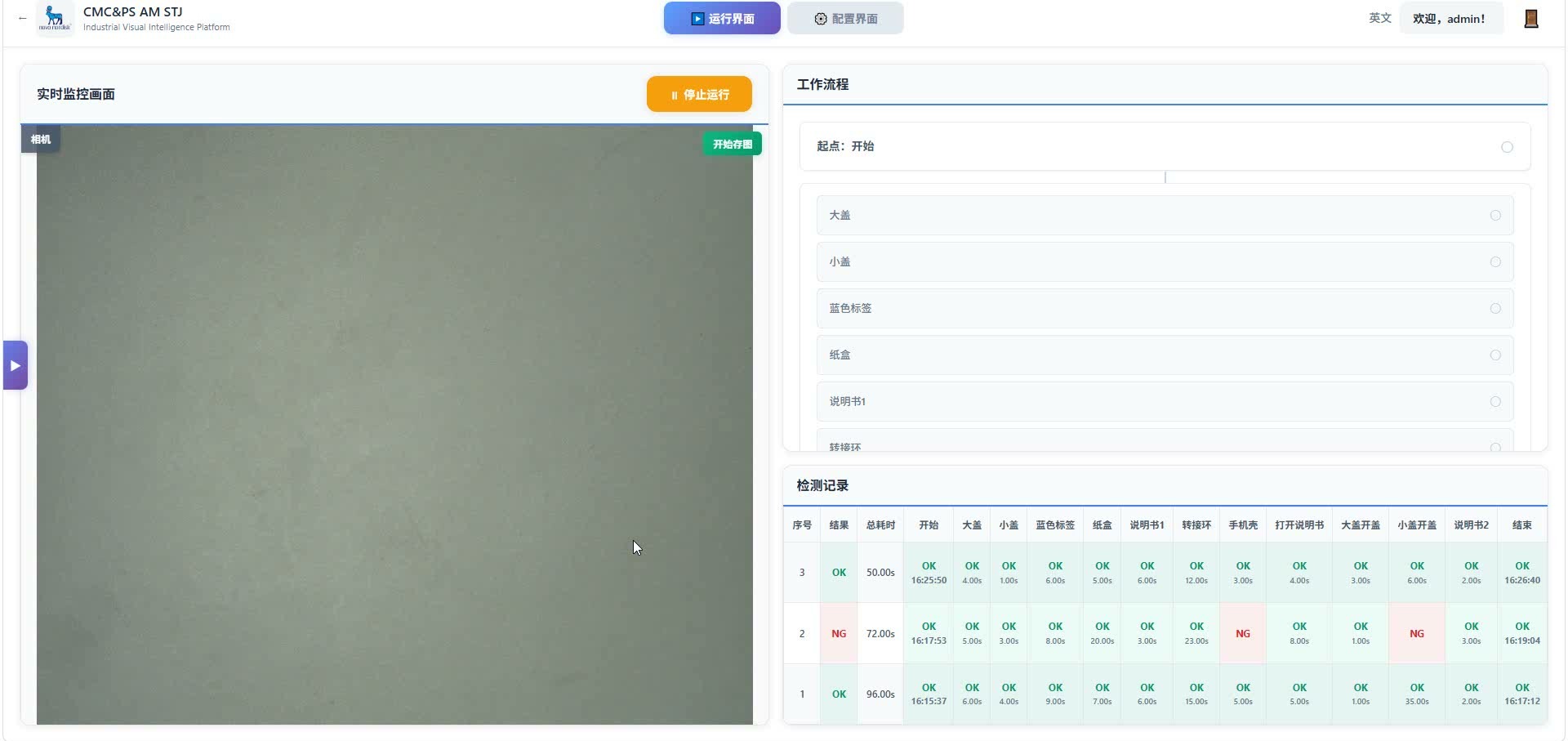
▲ Real runtime UI: live monitor + workflow + detection records (screen capture)
▲ Runtime monitor: live recognition on the left, workflow advancing on the right
| No. | Result | Total | Start | Big Lid | Small Lid | Blue Label | Paper Box | Manual 1 | Adapter Ring | Phone Case | Open Manual | Big Lid Open | Small Lid Open | Manual 2 | End |
|---|---|---|---|---|---|---|---|---|---|---|---|---|---|---|---|
| 3 | OK | 50.00s | OK16:25:50 | OK4.00s | OK1.00s | OK6.00s | OK5.00s | OK6.00s | OK12.00s | OK3.00s | OK4.00s | OK3.00s | OK6.00s | OK2.00s | OK16:26:40 |
| 2 | NG | 72.00s | OK16:17:53 | OK4.00s | OK3.00s | OK8.00s | OK20.00s | OK3.00s | OK23.00s | NG— | OK8.00s | OK1.00s | NG— | OK3.00s | OK16:19:04 |
| 1 | OK | 96.00s | OK16:15:37 | OK6.00s | OK4.00s | OK9.00s | OK7.00s | OK6.00s | OK15.00s | OK5.00s | OK1.00s | OK35.00s | OK2.00s | OK16:17:12 |
▲ Detection records: per-box OK / NG + per-step timing (real UI style; box 2 fails on Phone Case and Small Lid Open)
▲ Live footage: the full phone packaging process monitoring recording
Comparison table & takeaways
| Aspect | Traditional packaging line | VisionAgent phone packaging monitor |
|---|---|---|
| Recognize items | Team-lead spot checks | Semantic segmentation identifies big lid, adapter ring, phone case and other items in real time |
| Manage order | Habit and paper SOP | 11-step workflow enforces the order |
| Manage misses | Found when the customer opens the box | Event "object present" item-by-item gating + NG stats |
| Manage takt | No per-step data | Detection records time each step; slow steps stand out at a glance |
| Keep records | Paper ticks filled in later | Per-box OK / NG and per-item timing logged automatically, exportable |
- Business requirement: each box finishes all 11 steps; items must not be missed or placed out of order;
- Decision rule: the current step only accepts its matching event; only when complete can it move on and reach "End";
- Software config: five-operator tensor flow + GPU event orchestration + workflow + page params (NG dictionary).
Four questions run through it all: what the system looks at, what "complete" means, when to intercept, and how results reach the records.
In closing
The hard part of phone packaging monitoring isn't recognizing one item — it's stringing recognize-in-place → report event → advance workflow → NG stats → per-box logging into a chain the floor is willing to use and quality can stand up to review.